﻿# Certificate variables

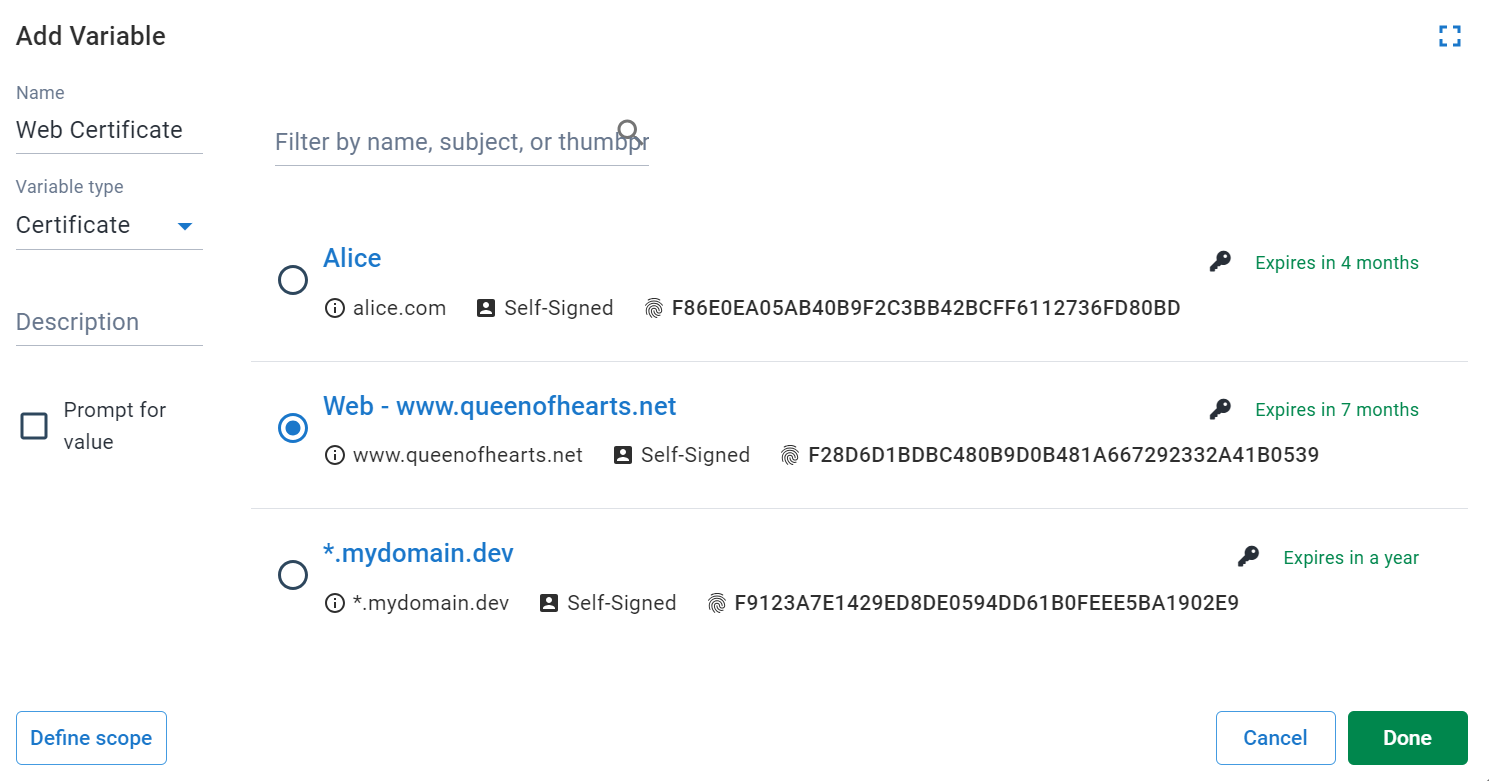
In the variable-editor, selecting *Certificate* as the [variable](/docs/projects/variables) type allows you to create a variable with a certificate managed by Octopus as the value.

:::figure
![Selecting Certificate as the variable type in the variable editor](/docs/img/projects/variables/images/certificate-variable-select.png)
:::

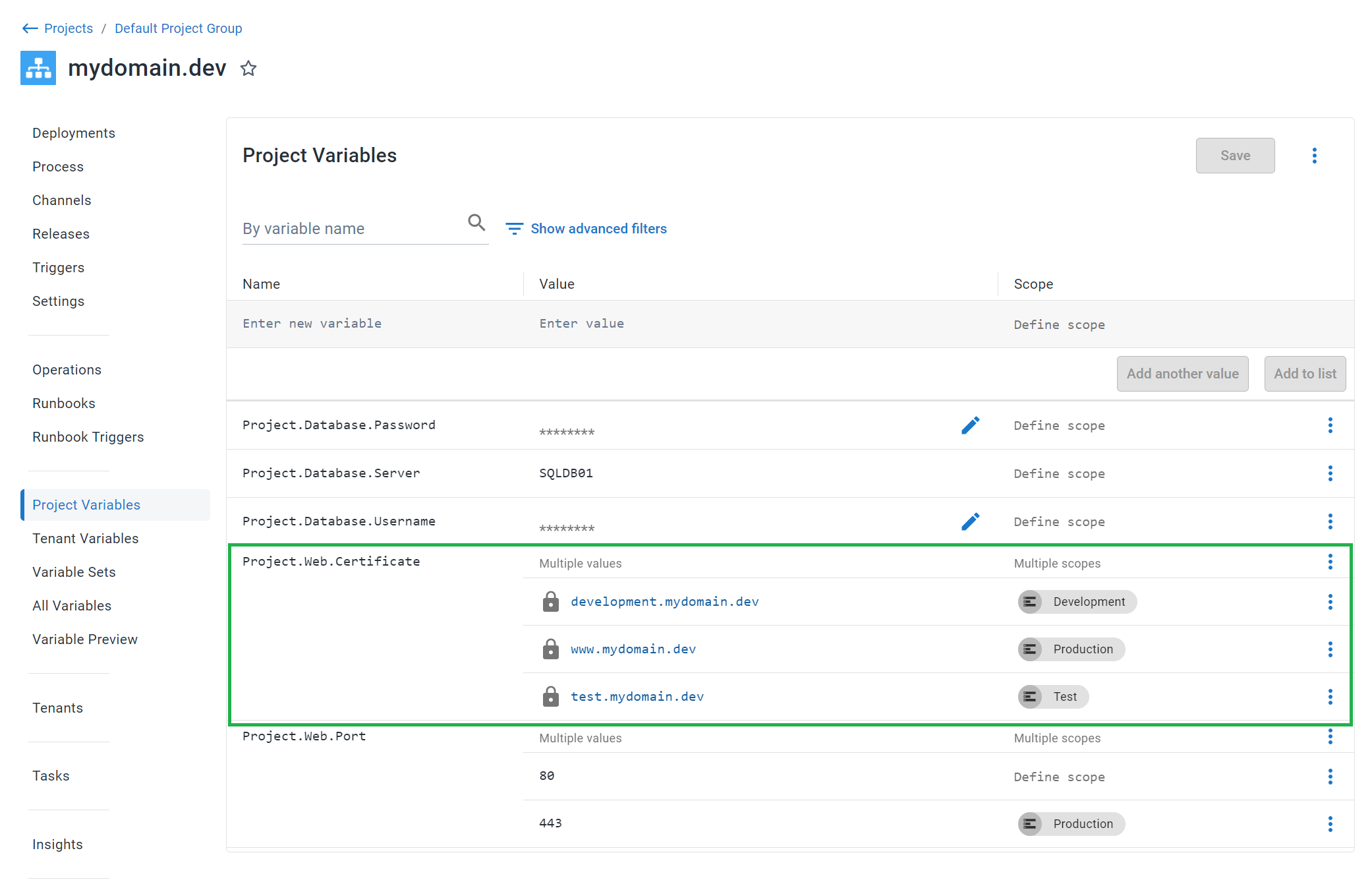
Certificate variables can be [scoped](/docs/projects/variables/#scoping-variables), similar to regular text variables.

:::figure
![A certificate variable scoped to an environment](/docs/img/projects/variables/images/certificate-variables-scoped.png)
:::

## Expanded properties

At deploy-time, certificate variables are expanded. For example, a variable *MyCertificate* becomes:

| Variable                          | Description                                                                                                                                                                                                                                                                                                                         | Example value                            |
| --------------------------------- | ----------------------------------------------------------------------------------------------------------------------------------------------------------------------------------------------------------------------------------------------------------------------------------------------------------------------------------- | ---------------------------------------- |
| `MyCertificate`                   | The certificate ID                                                                                                                                                                                                                                                                                                                  | Certificates-1                           |
| `MyCertificate.Type`              | The variable type                                                                                                                                                                                                                                                                                                                   | Certificate                              |
| `MyCertificate.Name`              | The user-provided name                                                                                                                                                                                                                                                                                                              | My Development Certificate               |
| `MyCertificate.Thumbprint`        | Thumbprint                                                                                                                                                                                                                                                                                                                          | A163E39F59560E6FE33A0299D19124B242D9B37E |
| `MyCertificate.RawOriginal`       | The base64 encoded original file, exactly as it was uploaded.                                                                                                                                                                                                                                                                       |                                          |
| `MyCertificate.Password`          | The password specified when the file was uploaded.                                                                                                                                                                                                                                                                                  |                                          |
| `MyCertificate.Pfx`               | The base64 encoded certificate in [PKCS#12](https://datatracker.ietf.org/doc/html/rfc7292#page-9) format, including the private-key if present. If the originally uploaded certificate was password-protected (i.e. `MyCertificate.Password` is not empty), then this value will also be a password-protected PFX (PKCS#12) format. |                                          |
| `MyCertificate.Certificate`       | The base64 encoded DER ASN.1 certificate.                                                                                                                                                                                                                                                                                           |                                          |
| `MyCertificate.PrivateKey`        | The base64 encoded DER ASN.1 private key. This will be stored and transmitted as a [sensitive variable](/docs/projects/variables/sensitive-variables).                                                                                                                                                                              |                                          |
| `MyCertificate.CertificatePem`    | The PEM representation of the certificate (i.e. the PublicKey with header/footer).                                                                                                                                                                                                                                                  |                                          |
| `MyCertificate.PrivateKeyPem`     | The PEM representation of the private key (i.e. the PrivateKey with header/footer).                                                                                                                                                                                                                                                 |                                          |
| `MyCertificate.ChainPem`          | The PEM representation of any chain certificates (intermediate or certificate-authority). This variable does not include the primary certificate.                                                                                                                                                                                   |                                          |
| `MyCertificate.Subject`           | The X.500 distinguished name of the subject                                                                                                                                                                                                                                                                                         |                                          |
| `MyCertificate.SubjectCommonName` | The un-attributed subject common name                                                                                                                                                                                                                                                                                               |                                          |
| `MyCertificate.Issuer`            | The X.500 distinguished name of the issuer                                                                                                                                                                                                                                                                                          |                                          |
| `MyCertificate.NotBefore`         | NotBefore date                                                                                                                                                                                                                                                                                                                      | 2016-06-15T13:45:30.0000000-07:00        |
| `MyCertificate.NotAfter`          | NotAfter date                                                                                                                                                                                                                                                                                                                       | 2019-06-15T13:45:30.0000000-07:00        |

### Example usage

Given the certificate variable `MyCertificate`, you can access the certificate thumbprint in a script like this:

<details data-group="project-variables-certificate-variables">
<summary>PowerShell</summary>

```powershell
Write-Host $OctopusParameters["MyCertificate.Thumbprint"]
```

</details>
<details data-group="project-variables-certificate-variables">
<summary>Bash</summary>

```bash
thumbprint=$(get_octopusvariable "MyCertificate.Thumbprint")
echo "$thumbprint"
```

</details>

It's possible to write the PEM representation of the certificate to a file for use directly with a web server e.g. Apache, or a reverse proxy like NGINX. In bash, the script looks like this:

```bash
CERT=$(get_octopusvariable "MyCertificate.CertificatePem")
echo "$CERT" > my_cert.crt
```

If your certificate also contains any chain certificates (e.g. intermediate or certificate authority), they can be written to a file that contains the primary certificate too. The following example shows how to do so in bash:

```bash
CERT=$(get_octopusvariable "MyCertificate.CertificatePem")
CHAIN=$(get_octopusvariable "MyCertificate.ChainPem")
COMBINED_CHAIN="$CERT\n$CHAIN"
echo -e "$COMBINED_CHAIN" > my_combined.crt
```

If your certificate also has a private key that you need to export, you can use the `PrivateKeyPem` property using bash:

```bash
KEY=$(get_octopusvariable "MyCertificate.PrivateKeyPem")
echo "$KEY" > ssl.key
```

## Learn more

- [Variable blog posts](https://octopus.com/blog/tag/variables/1)
